
How to play jigsaw puzzles
Pick a picture and a number of pieces, then drag the pieces into the dashed frame until the picture is whole.
On this page
- How do you start a puzzle?
- How many pieces should you choose?
- How do you move the pieces?
- What do Preview, Ghost, Edges and Arrange do?
- What is the best strategy for a jigsaw puzzle?
- How does piece rotation work?
- Which settings make the game easier?
- Is my progress saved?
- How does the timer work?
- Can you make a puzzle from your own photo?
- Where do jigsaw puzzles come from?
- What should you play first?
A jigsaw puzzle is a picture cut into small interlocking pieces that you fit back together. On GoJigsaw the pieces start scattered on a table around a dashed frame. Drag a piece into the frame and it locks in once it is close to its right place. Pieces that belong together also join when they touch, and from then on they move as one group. The puzzle is finished when every piece is in the frame. GoJigsaw is free and runs in the browser on a phone, tablet or computer, with no account or download.
This guide is for anyone playing on GoJigsaw for the first time, and for regular players who want to know what each button and setting does. The strategy section also works for a cardboard puzzle; the rest is about GoJigsaw's controls and settings.
The short version:
- A puzzle page starts a game straight away.
- Build the border first with Edges, and open Preview when you need to see the whole picture.
- Your game saves in the browser, so you can stop and come back later.
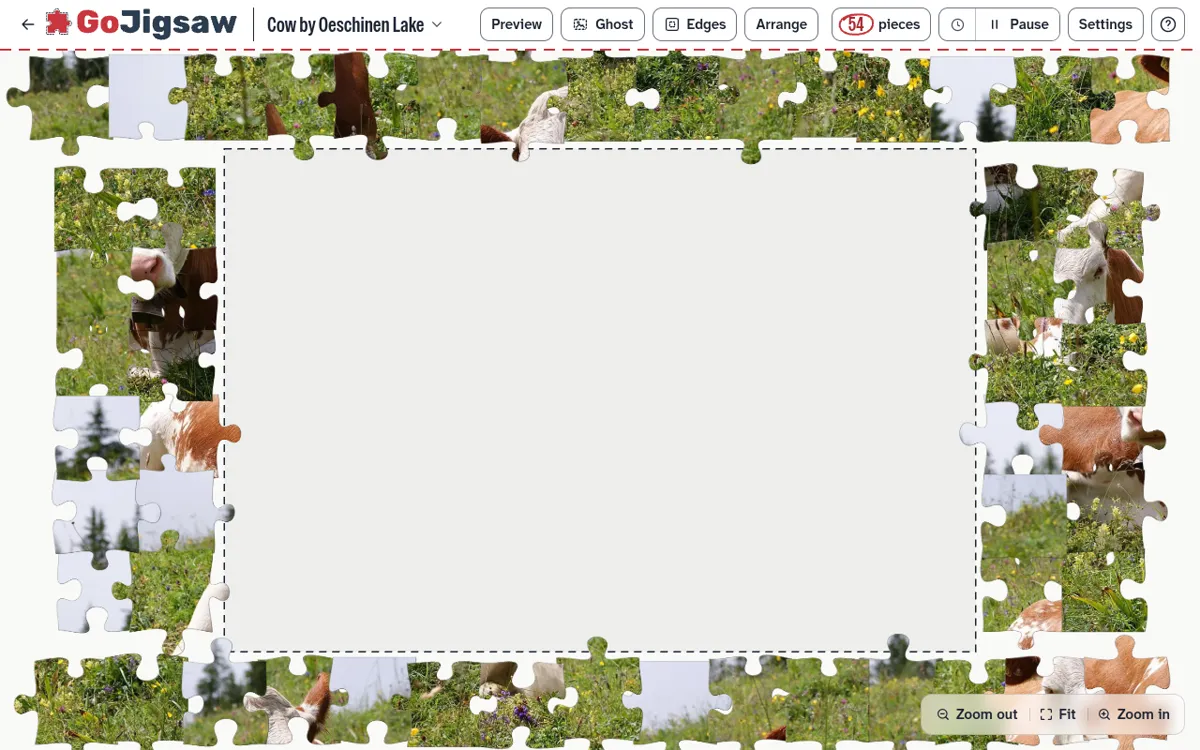
How do you start a puzzle?
- Choose a picture. Play the Puzzle of the Day on the home page or the Daily page, browse the Puzzles by category, or turn your own photo into a puzzle with the jigsaw puzzle maker.
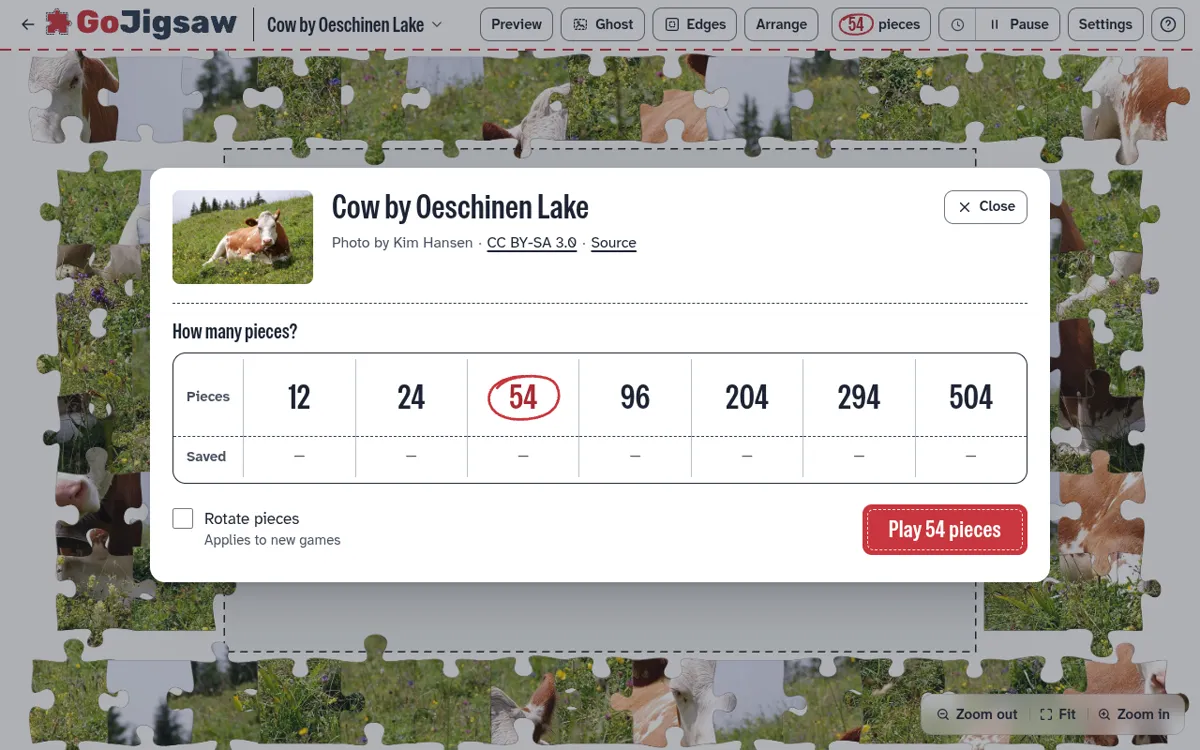
- Choose the number of pieces. On the home page and the Daily page, pick a number in the Pieces row and press Play. A puzzle page opens a game straight away, at 24 pieces the first time and after that at the number you used last. To change it, press the pieces button in the top bar (under More on a phone), pick a size in "How many pieces?" and press Play.
- Wait while a bar fills and the pieces are cut. They are then laid out around the frame, and the timer starts when you pick up your first piece.
How many pieces should you choose?
There are seven sizes: 12, 24, 50, 100, 200, 300 and 500 pieces. The real count shifts a little with the shape of the picture, because the pieces are kept close to square. A wide 16:9 photo at 100 has 98 pieces (14 across, 7 down), a square picture at 100 has exactly 100, and a 3:2 picture at 50 has 54.
| Pieces | Good for |
|---|---|
| 12 and 24 | A first try, children, a short break, a small phone screen |
| 50 and 100 | A relaxed game on any device |
| 200 and 300 | A longer sitting, best on a tablet or computer |
| 500 | A computer with a large screen, where the small pieces are still easy to grab |
On a touch screen, sizes whose pieces would be too small to grab with a finger at full view are left out, so a phone may only offer the smaller sizes for a wide picture. A picture with too few pixels can't be cut into the larger sizes either. Each size keeps its own saved game, so you can leave a 100-piece game half done and play the same picture at 24.
How do you move the pieces?
With a mouse
- Drag a piece to move it. Drag the empty table to move around, and scroll the mouse wheel to zoom.
- If holding the button down gets tiring, open Settings and set Pick up to "Click to pick up". Click a piece once to pick it up, move the mouse, and click again to put it down.
On a phone or tablet
- Drag a piece with one finger. A touch that lands slightly beside a piece still picks it up.
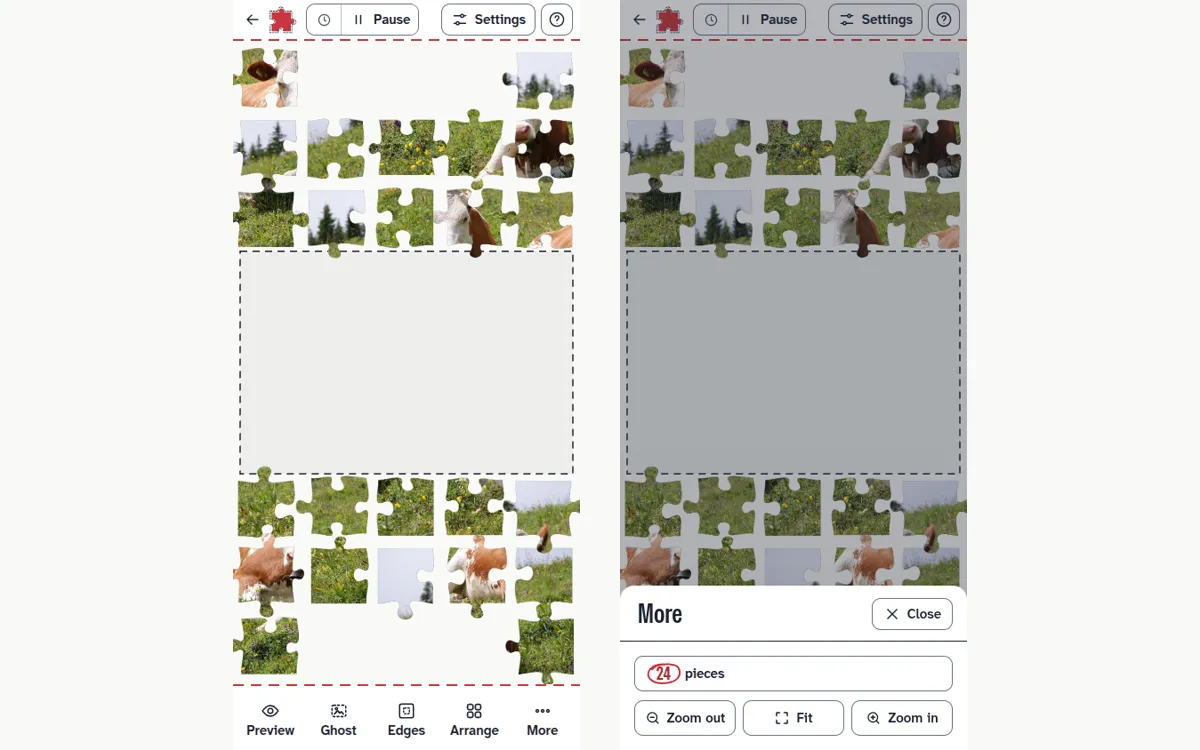
- Pinch to zoom, and drag with two fingers to move around the table. Dragging the empty table with one finger does nothing at first, so a finger that slips off a piece won't send the table sliding. To change that, turn on "Pan by dragging the table" in Settings.
- On most phones and tablets the tools sit in the bar at the bottom of the screen; on a wide screen they are in the top bar. On a phone, the pieces button, Zoom and Rotate are under More.
With a keyboard
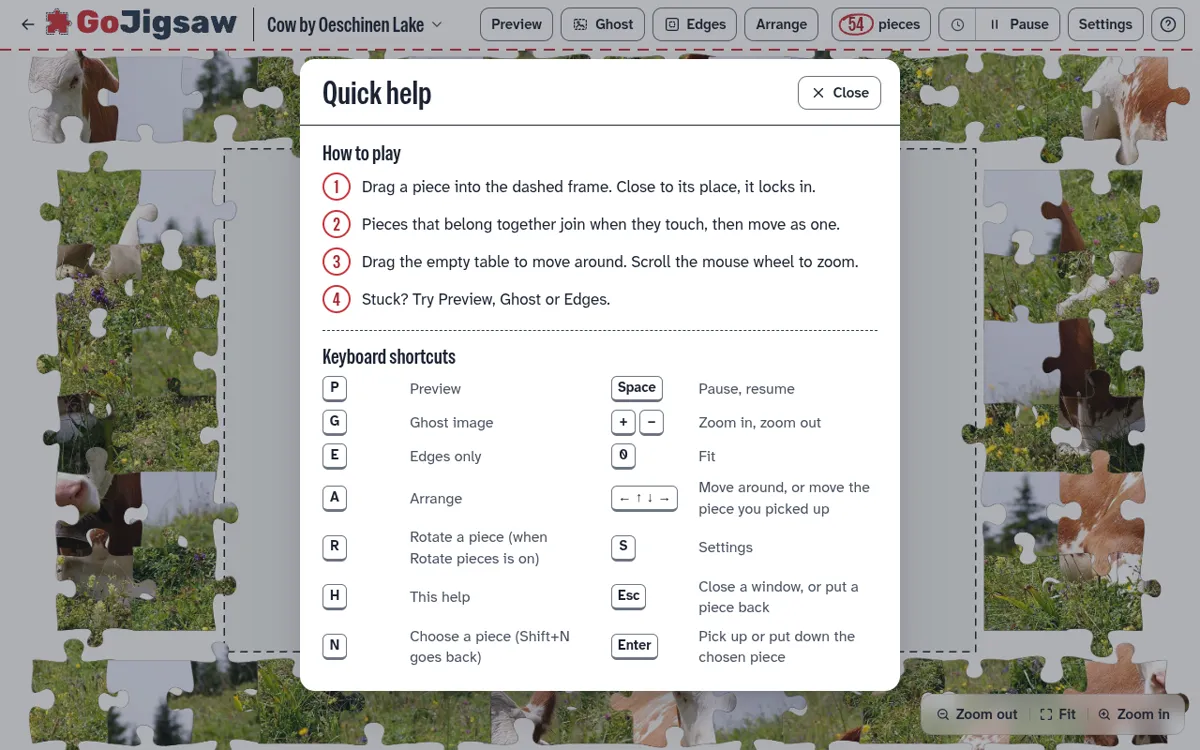
Press N to choose the next loose piece (Shift+N goes back), Enter to pick it up, and the arrow keys to move it a quarter of a piece at a time, or a whole piece with Shift held. Enter puts it down, and Esc sends it back to where it was. Screen readers hear each step and the progress, such as "9 of 24 pieces joined".
| Key | What it does |
|---|---|
| P | Preview |
| G | Ghost image |
| E | Edges only |
| A | Arrange |
| R | Rotate a piece (when Rotate pieces is on) |
| + and − | Zoom in, zoom out |
| 0 | Fit the whole puzzle on screen |
| Space | Pause, resume |
| S | Settings |
| H | Quick help |
| Esc | Close a window, or put a piece back |
The ? button in the top right corner of the board opens Quick help, with the same keys.
What do Preview, Ghost, Edges and Arrange do?
| Tool (key) | What it does |
|---|---|
| Preview (P) | Shows the whole picture in a card in the corner. You can keep playing while it is open; touch the table or press Esc to close it. |
| Ghost (G) | Shows a faint copy of the picture inside the frame, so you can see where a piece belongs. Set how strong it is in Settings, from 10 to 80% (30% at first). |
| Edges (E) | Shows only the edge and corner pieces and hides the rest. Press it again to bring the others back. |
| Arrange (A) | Lays the loose pieces in rows on the free part of the table you can see, edge pieces nearest the frame. Groups you have already joined stay where they are. |
| Fit (0) | Zooms to show the whole puzzle. |
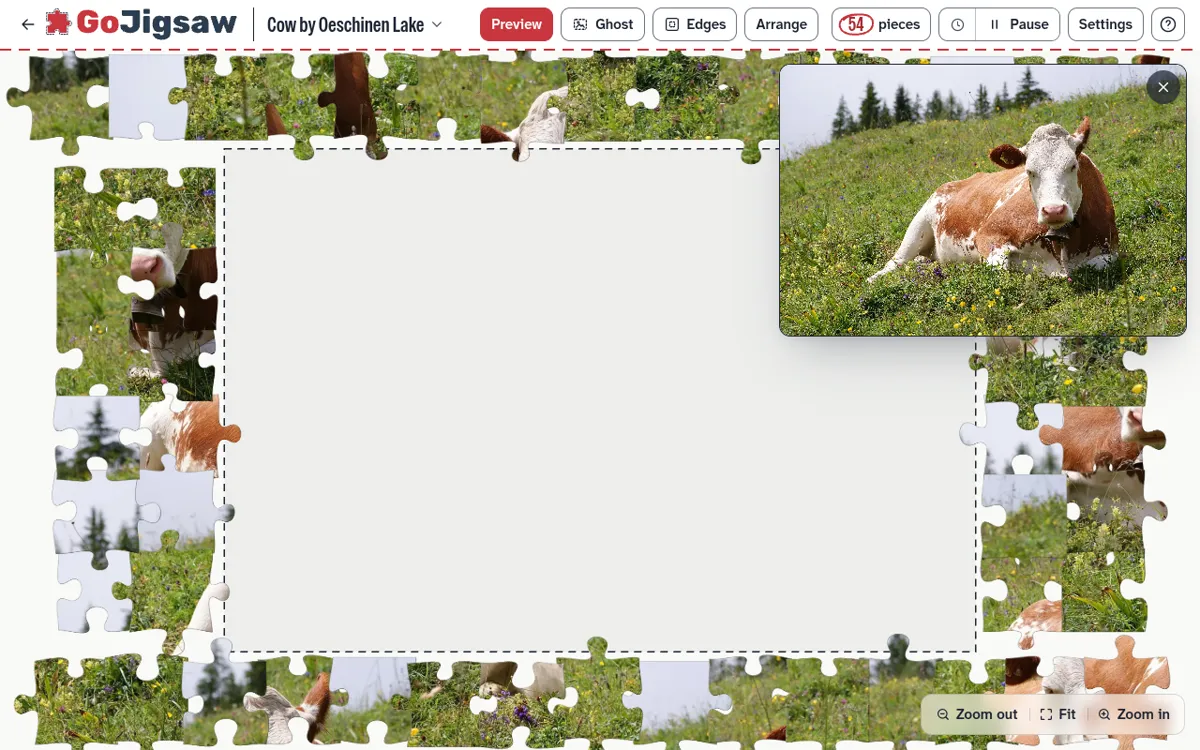
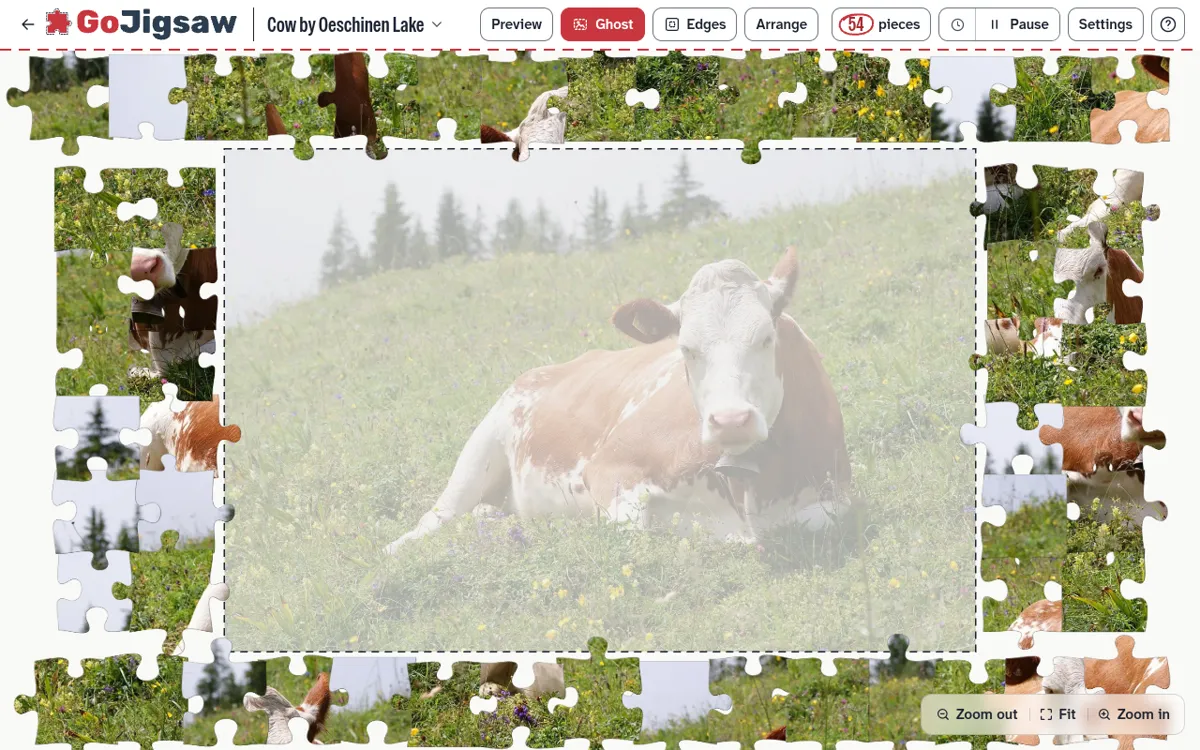
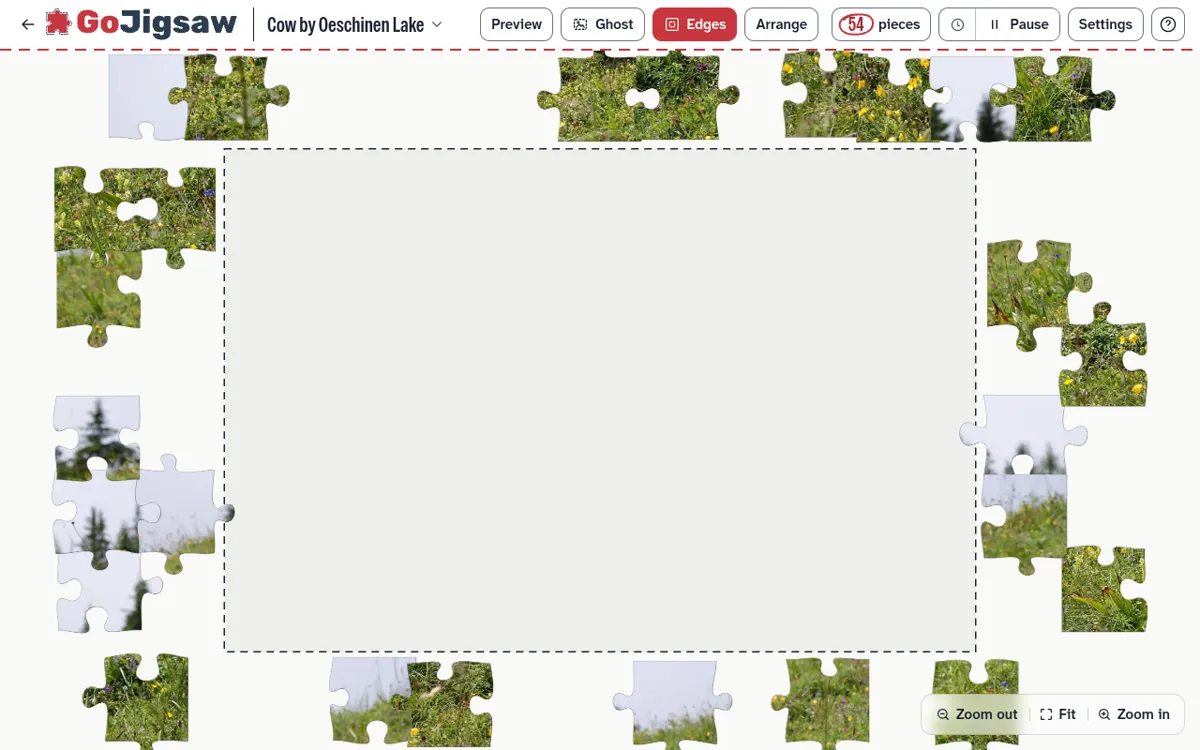
Ghost makes any puzzle much easier. Leave it off if you want the game to feel like a puzzle on a real table.
What is the best strategy for a jigsaw puzzle?
Most people work a jigsaw in the same order: sort the pieces, build the border, then fill in the easiest areas first. Puzzle Warehouse's assembly guide uses that order too. It works on screen as well, and the tools save you some of the sorting.
- Build the border first. Edge pieces have one straight side and corners have two, which makes them the easiest to place. Press Edges to hide everything else, finish the frame, then press Edges again.
- Spread the pieces out. Press Arrange so no piece hides under another.
- Sort by color. Drag pieces of the same color or pattern into piles on the table, for example sky in one corner and a red roof in another.
- Start with what stands out: faces, writing, sharp lines and bright colors.
- Build small parts outside the frame. Joined pieces move as one group, so you can finish a whole boat on the table and drag it into the frame when it's done.
- Leave plain areas for last. Sky, water and grass are hard because many pieces look alike. When color stops helping, look at shape: count the knobs that stick out and the holes on each side of a piece, and only try pieces that match the gap.
- When you are stuck, zoom in on the gap, open Preview, or turn on Ghost for a moment.
- Take a break. Pause covers the board and stops the timer, and your game is saved, so you can come back later.
How does piece rotation work?
Rotate pieces is off unless you turn it on, in the "How many pieces?" window or in Settings. It applies to the next new game. Pieces then start turned at random, in quarter turns. Press R or the Rotate button to turn the piece you are holding, or the last one you touched, a quarter turn clockwise. A piece only locks into the frame when it is the right way up, and two pieces only join when they are turned the same way.
Which settings make the game easier?
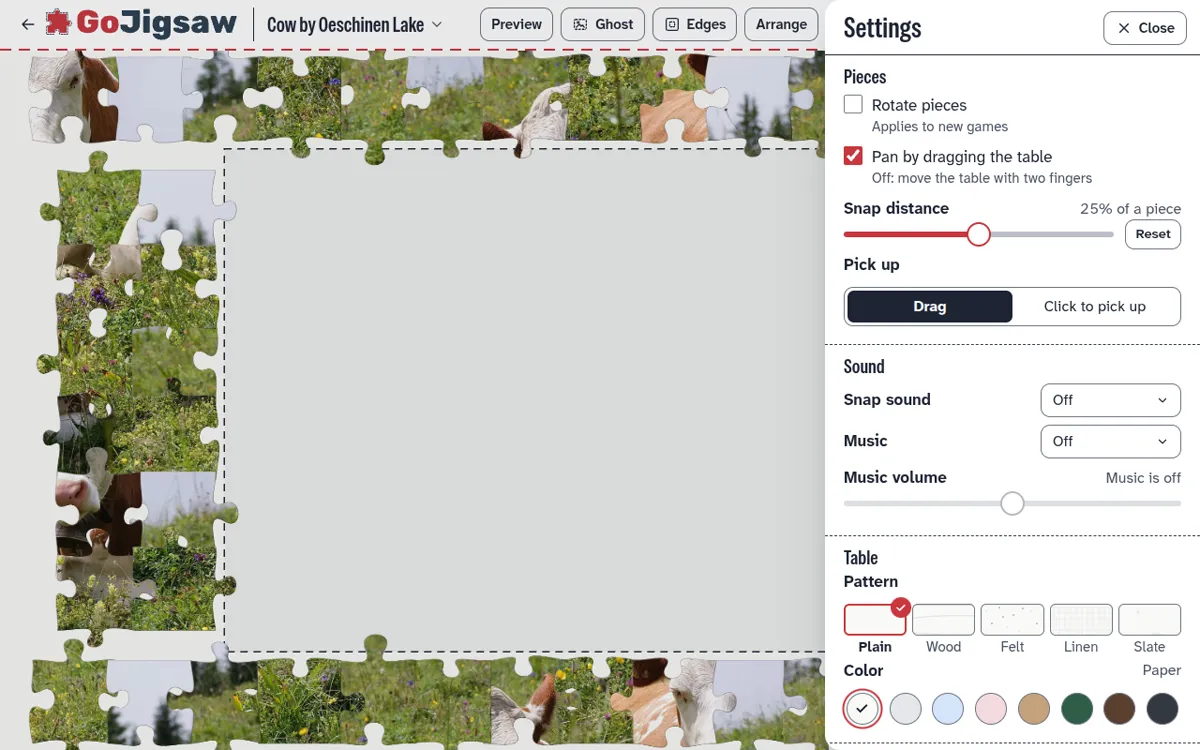
- Snap distance: how close a piece has to be before it locks in, from 10 to 40% of a piece (25% at first). Raise it if pieces won't lock in. Reset puts it back.
- Table: five patterns and eight colors. A color that contrasts with the picture makes the loose pieces easier to see.
- Pick up: Drag, or Click to pick up (mouse only).
- Sound: a snap sound when pieces join, and music with its own volume. Both are off at first.
- Motion: Reduce turns off animations, Full keeps them on, and System follows your device's setting.
- Start over: puts every piece back and restarts the timer.
Is my progress saved?
Yes, in your browser. GoJigsaw saves the game while you play and when you leave the page, one unfinished game for each picture and piece count. Open the same puzzle again and it carries on where you stopped. In the "How many pieces?" window, each size you have started shows "In progress" with the pieces joined and the time so far, and each size you have finished shows your best time.
Saved games stay on that device and in that browser. Another browser or device won't see them, and clearing the site's data deletes them. When the browser won't allow saving, as some private windows don't, a note says "Progress can't be saved in this browser".
How does the timer work?
The timer is hidden at first. Tap the clock in the top bar to show or hide it. It starts when you pick up your first piece and stops when you pause, switch to another tab, or finish. When the last piece goes in, "Puzzle complete" shows your time, the piece count and your best time at that size, with "New best!" when you beat it. From there you can play again, open the next puzzle, or go to the Daily puzzle.
Can you make a puzzle from your own photo?
Yes. Open the jigsaw puzzle maker and pick a JPG, PNG or WebP photo of up to 25 MB. You play it on the same board, with the same piece counts and tools. The photo stays on your device and is never uploaded, and you can keep up to 20 photos there.
Where do jigsaw puzzles come from?
They started as a way to teach geography. In the 1760s the English engraver John Spilsbury glued printed maps onto thin mahogany and cut them into pieces, so children learned the map by putting it back together. The Victoria and Albert Museum holds one of his earliest, a 1767 map of England and Wales in 54 pieces, most of them a single county. That is the same number of pieces GoJigsaw gives a 3:2 photo at 50.
What should you play first?
Start with the Puzzle of the Day at 24 pieces to learn the controls, then move up to 50 or 100. When you want a particular subject, browse the puzzles by category.
The screenshots, piece counts and settings on this page are from 9 November 2026. The puzzle in the screenshots is "Cow by Oeschinen Lake". Photo by Kim Hansen, CC BY-SA 3.0, from Wikimedia Commons.

Last updated: